

Playwright can be used to create PDFs from webpages. This opens up interesting automation scenarios for tasks such as archiving, generating invoices, writing manuals, books and more. This article introduces this functionality and shows how we can customise the PDF to fit our needs.Documentation Index
Fetch the complete documentation index at: https://checkly-422f444a-sync-playwright-reporter-changelog-v1-5-0.mintlify.app/llms.txt
Use this file to discover all available pages before exploring further.
Generating a PDF file
After loading a page, we use thepage.pdf() command to convert it to a PDF.
pdf-minimal.spec.ts
path option to have the PDF file actually saved to disk.
This feature is currently only supported in Chromium headless in Playwright.
Tweaking the result
It is important to take a quick look at the official docs forpage.pdf() from Playwright, as it is almost certain that we will want to tweak the appearance of our page in the resulting PDF.
In certain cases, our webpage might look significantly different in our PDF compared to our browser. Depending on the case, it can pay off to experiment with the following:
- We might need to set option
printBackgroundto true in case graphical components appear to be missing in the generated PDF. - By default,
page.pdf()will generate a PDF with adjusted colors for printing. Setting the CSS property-webkit-print-color-adjust: exactwill force rendering of the original colors. - Calling
page.emulateMedia('screen')changes the CSS media type of the page. - Setting either
widthandheightorformatto the appropriate value might be needed for the page to be displayed optimally.
Customising header and footer
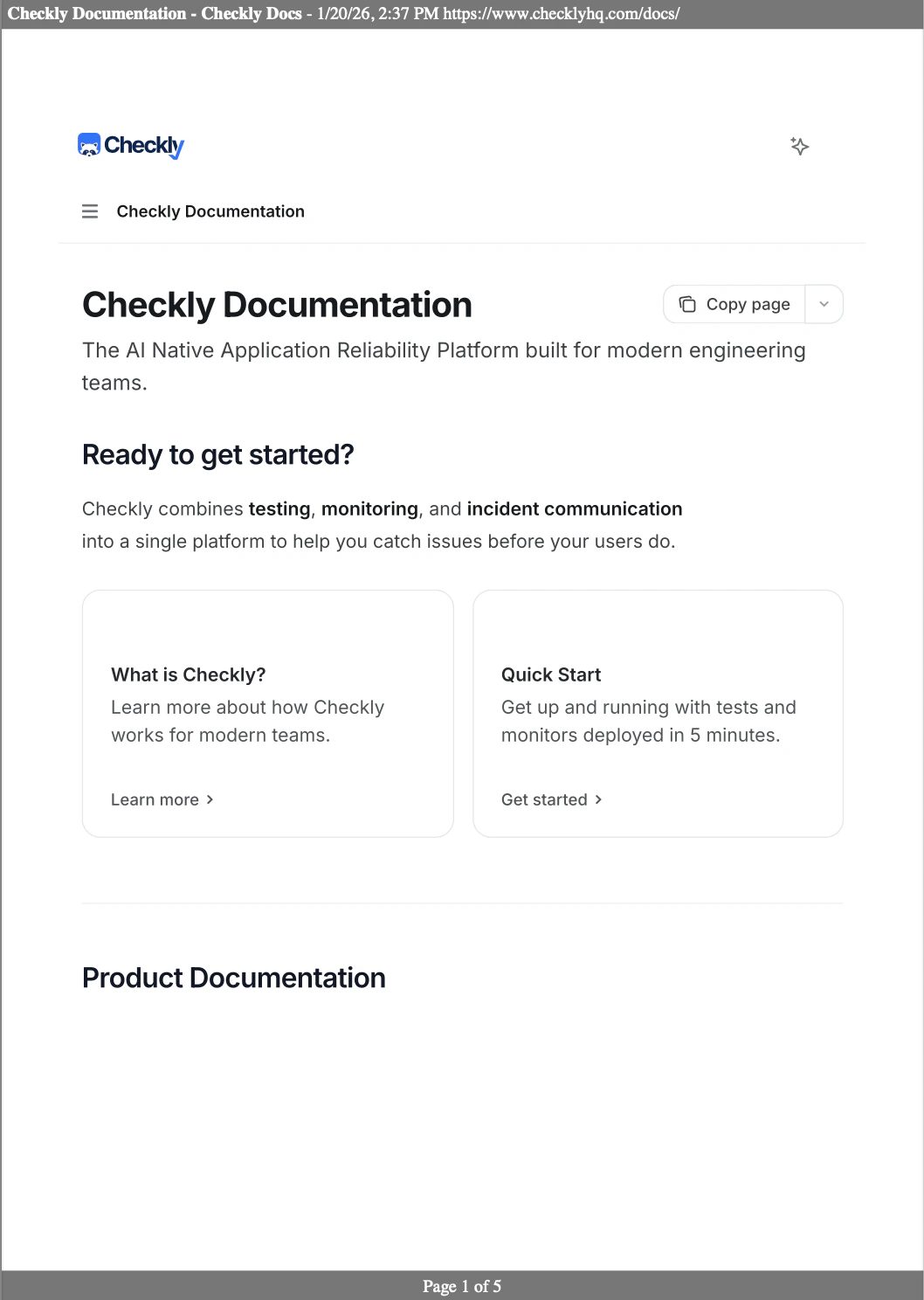
We can also have custom headers and footers added to our pages, displaying values such as title, page number and more. Let’s see how this looks on your favourite website:pdf-hd.spec.ts
headerTemplate and footerTemplate to include more complex templates like these ones below.
template-header.html
Further considerations
We can easily transform existing web pages into PDF format, just as we have shown in our example. An even more interesting use case is about generating a brand new document: now we can use our existing HTML and CSS skills to produce high-quality PDFs, often eliminating the need for LaTeX or similar tools.Bugs don’t stop at CI/CD. Why would Playwright? 
Sign up and start using Playwright for end-to-end monitoring with Checkly.